Set your boundaries.
Add the websites that pull you away. Choose anything from a one-minute test to a seven-day commitment.
 FocusGuard
Get FocusGuard
FocusGuard
Get FocusGuard
For Mac. No account. No subscription.
Block distracting websites and give your attention to the draft, the deadline, the thing you keep putting off.
Keep the promise you made to yourself
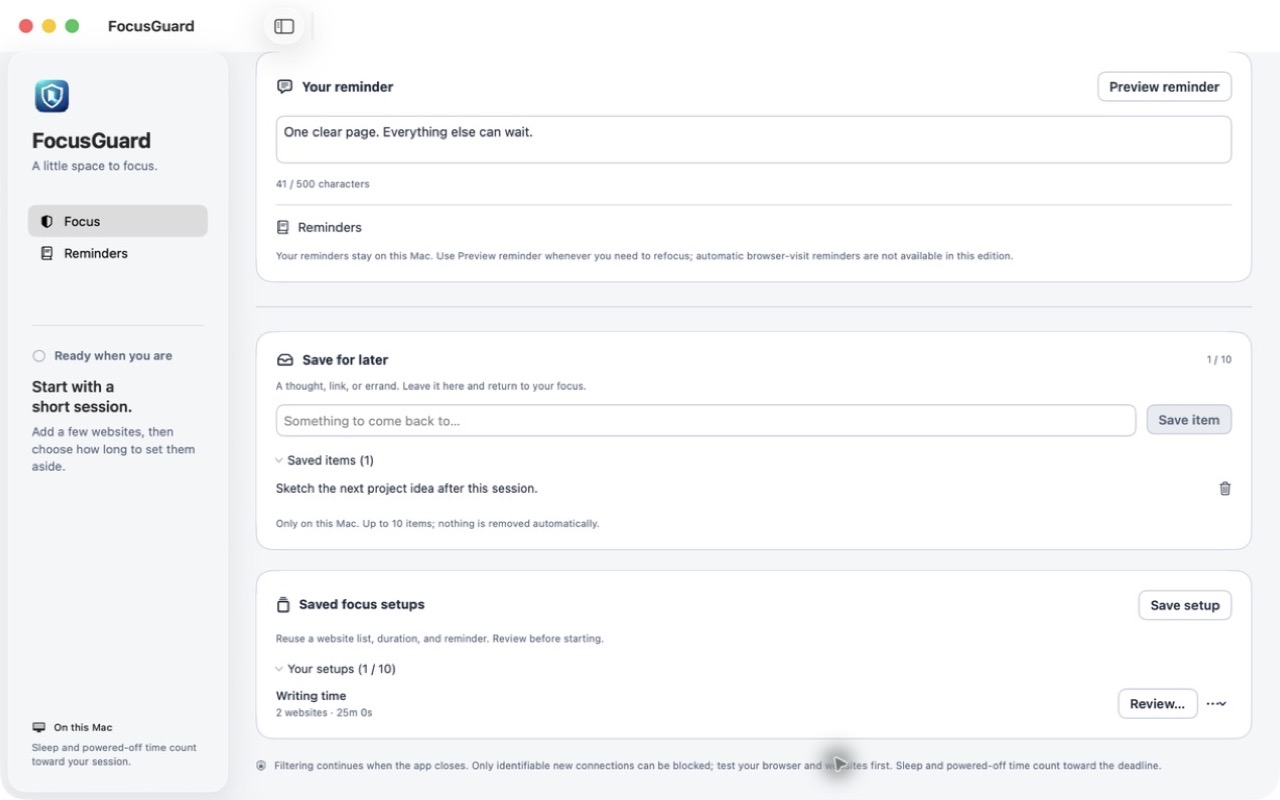
FocusGuard puts a boundary between you and the websites you reach for on autopilot. You choose what to block and for how long. The commitment stays in place until your time is up.
Add the websites that pull you away. Choose anything from a one-minute test to a seven-day commitment.
Leave yourself a reminder, review your choices, and start. There is no ordinary pause or early unlock.
Close the app and carry on. The macOS network filter continues running while your session is active. Test your selected websites before relying on it.
A little support for the moments when your attention wanders.
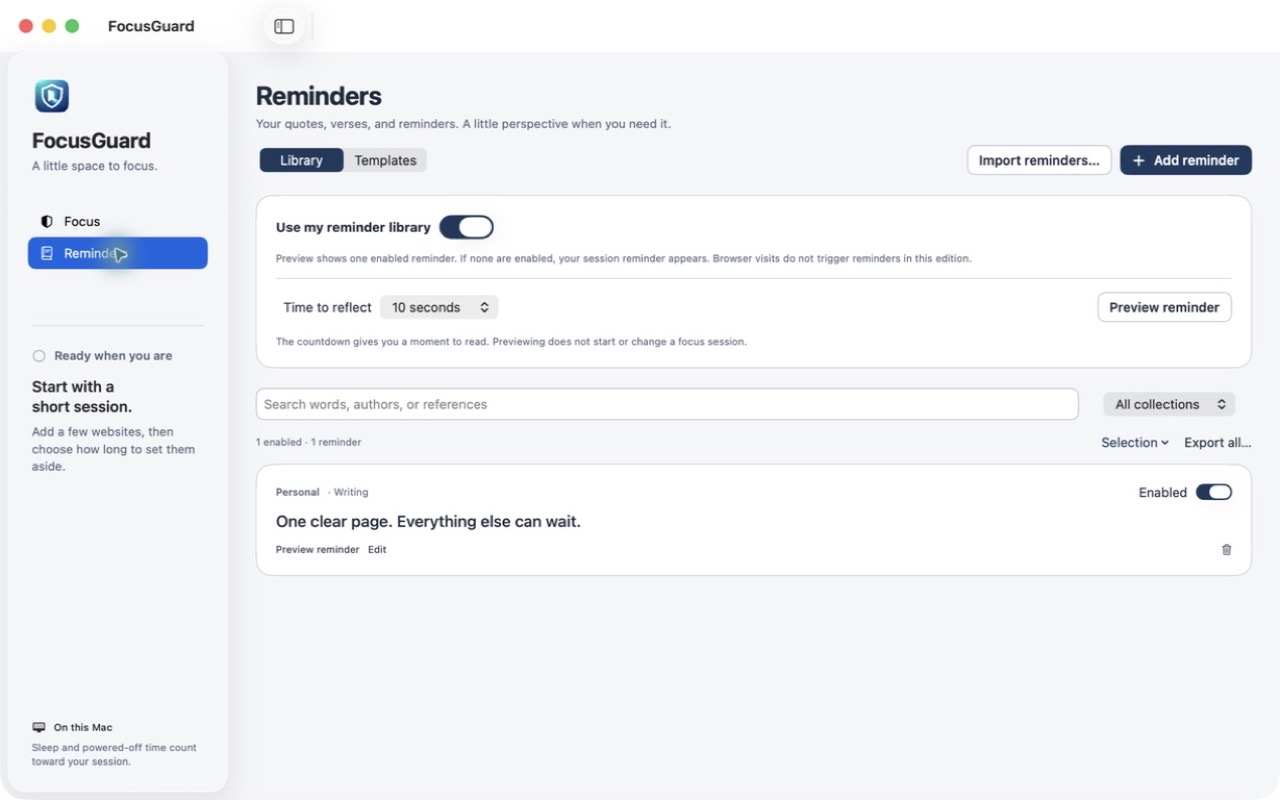
Open a personal reminder whenever you want to reconnect with what you meant to do.
Keep your own words, meaningful quotes, and their sources in a local reminder library. Choose a little time to reflect.
An article to read. An errand to remember. Save up to ten short notes or links for later without opening another tab.
Save a familiar website list, duration, and reminder as a setup. Review it when you are ready for your next session.
Choose your duration once. Add more websites while a session is active without shortening the deadline. There is no in-app early-stop button.
Time asleep or powered off counts toward the deadline. macOS can disable the filter. Existing connections, encrypted hostnames, VPNs and some protocols may bypass filtering.
Your blocklists, reminders, and saved thoughts stay on your Mac. The app has no cloud backend, account, or third-party analytics.
Make an informed commitment.
There is no in-app pause or early-stop action. Start with a one-minute test before committing to a longer session. You can disable the network filter in macOS Settings. FocusGuard does not guarantee an unbreakable block.
FocusGuard uses a macOS network filter to identify selected hostnames in new connections. A short Chrome HTTPS test passed on an Apple silicon Mac. Broader browser and protocol coverage is not yet verified. Existing connections, encrypted hostnames, VPNs and some protocols may bypass filtering. Test your own websites before relying on a session.
The approved macOS network extension continues filtering when you close the app. Time asleep or powered off counts toward the deadline. The Store edition does not use a separate privileged installer, modify your hosts file or request browser Accessibility access.
The US App Store price is $6.99 as a one-time purchase, with no subscription. The app is not available to buy yet; release depends on Apple’s approval. Local prices may vary by storefront.
macOS 13 or newer and approval for FocusGuard’s network extension. Apple silicon and Intel builds are included. Live testing has been on an Apple silicon Mac; minimum-macOS and Intel hardware coverage remain unverified.
US App Store price: $6.99
One-time purchase. No subscription.
Coming to the Mac App Store. Not available to buy yet.
Local by design. Built for intentional time.